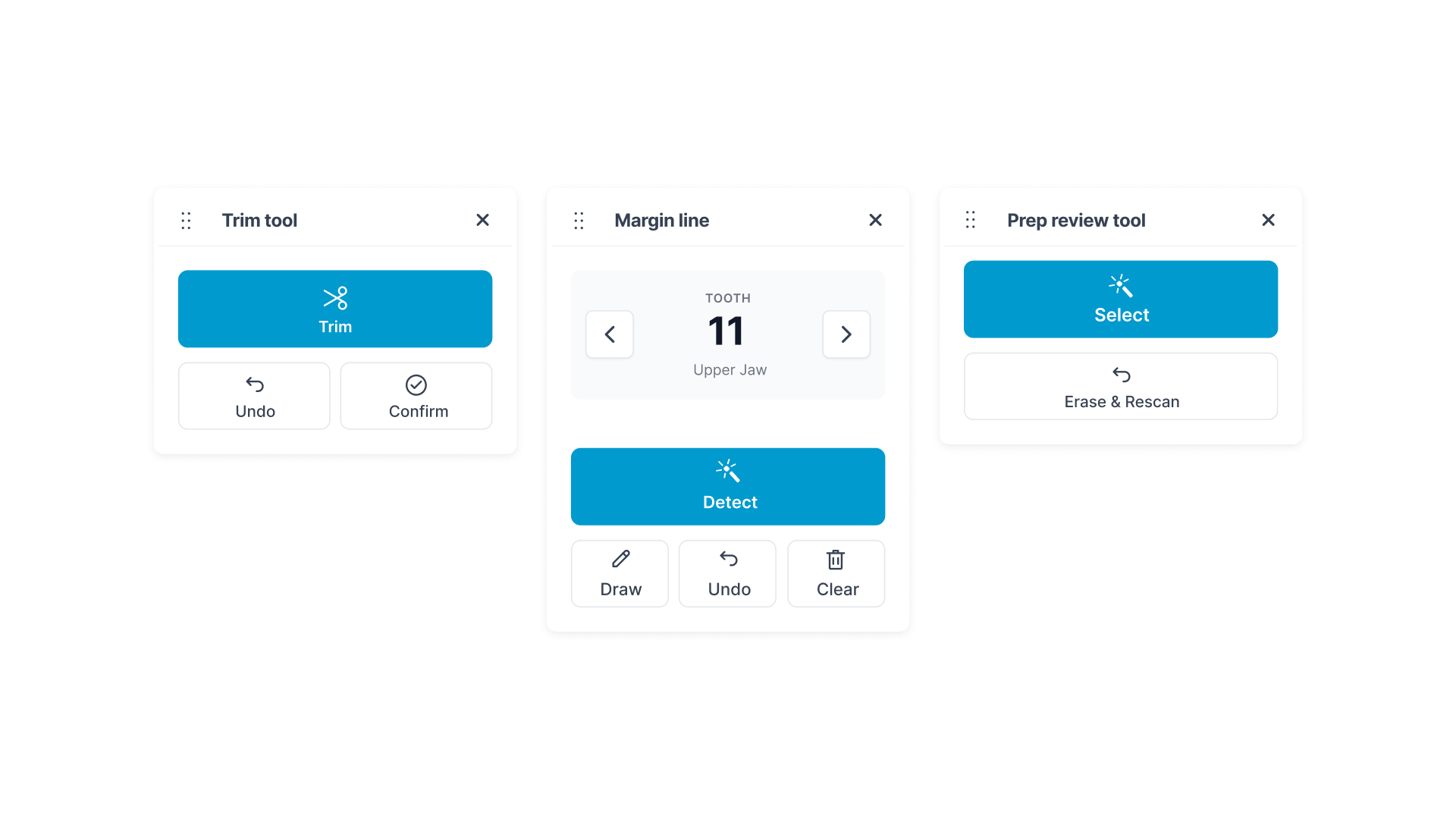
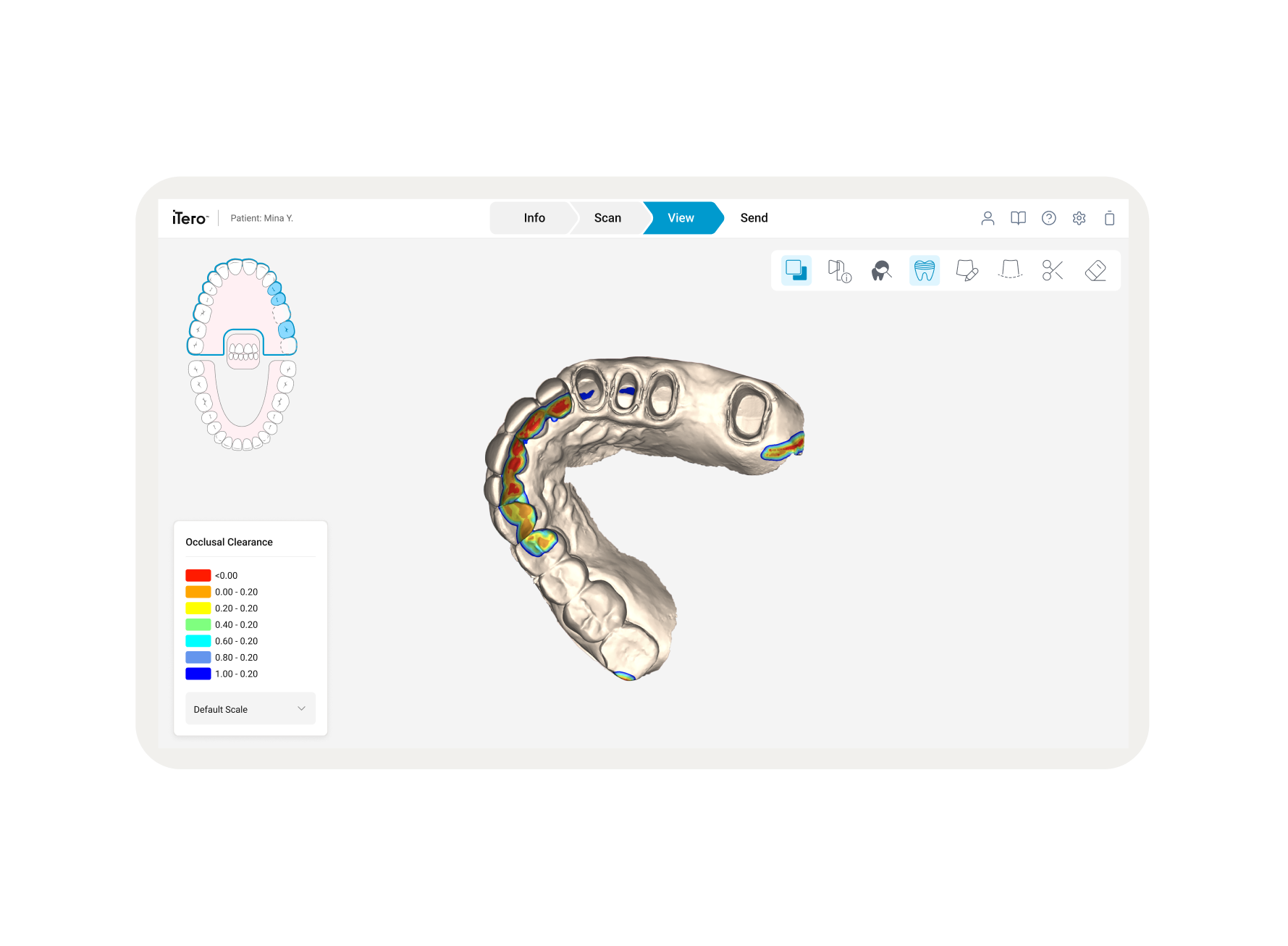
This initiative focused on the strategic redesign of the iTero post-scan toolset: Prep Review, Trim, and Margin Line. The primary goal was to transition from a technical, icon-heavy interface to a high-performance, intent-based system. By standardizing the interaction model into a structured card framework, we reduced complexity for practitioners, leading to faster decision-making and minimized chairtime.
Project Overview
Post-scan analysis is a high-stakes phase for clinical success, yet the legacy interface created significant operational friction
The Interruption Loop
Doctors had to stop their clinical assessment to navigate abstract menus, breaking their focus on the patient.
High-Stakes Ambiguity
The lack of anatomical labeling meant a doctor could accidentally confirm a margin on the wrong tooth, leading to failed restorations.
Information Overload
Legacy panels displayed all tools with equal visual weight, causing "choice paralysis" during time-sensitive appointments.
The Challenge: Operational Friction
Tool Section : Prep Review
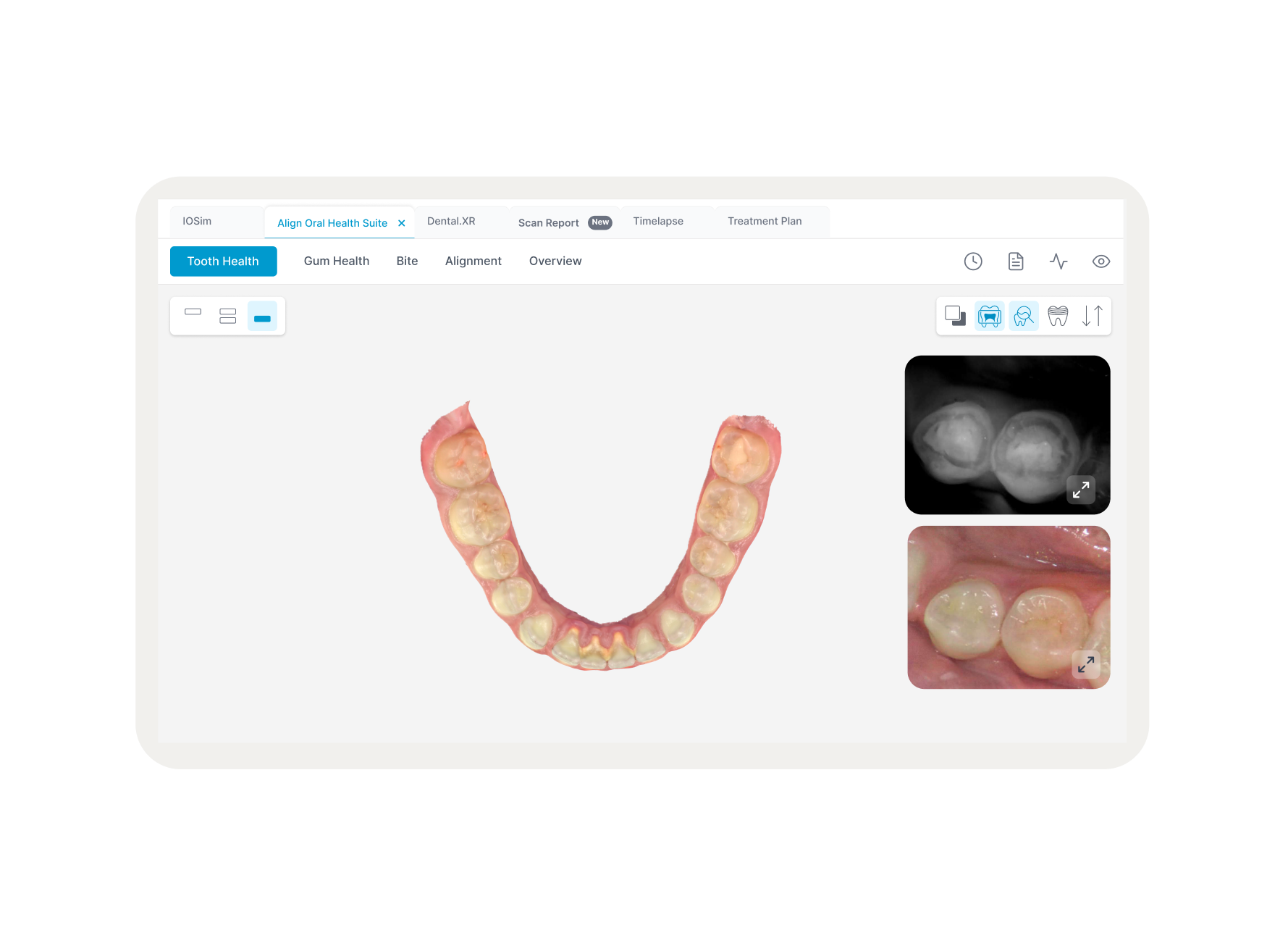
The Prep review is created automatically, according to the position of the green hint point, which must be located on the center of the prepped tooth after scanning.
The Problem
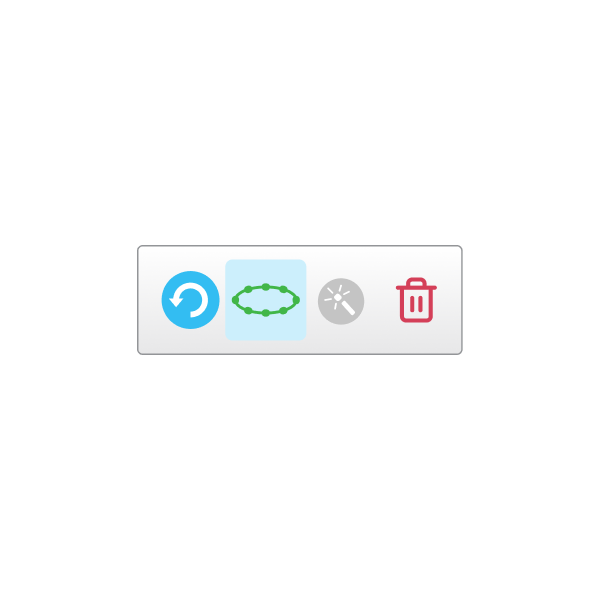
The legacy UI treated validation as a manual task. This forced the doctor to act as a "data editor" rather than a "clinical validator".
The Shift
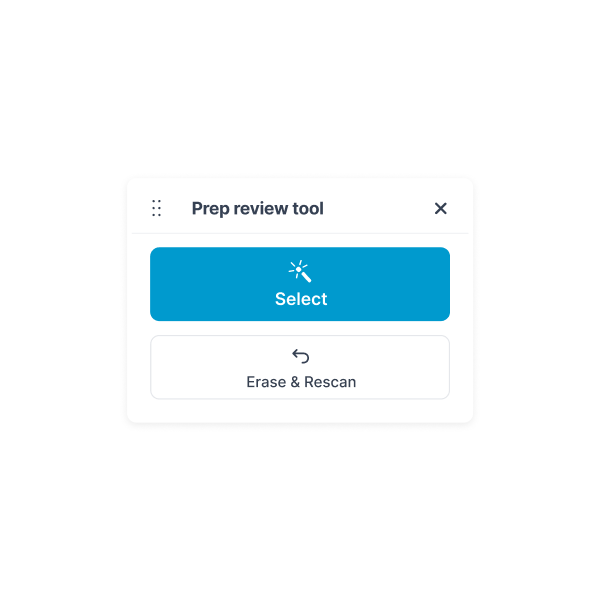
The tool was reimagined as a Validation Checkpoint. Instead of focusing on "how to mark," the interface asks the doctor "Is this scan acceptable?".
The Logic Shift
We implemented a Binary Choice Architecture. The primary "Select" CTA represents the "Success" path, while the high-contrast "Erase & Rescan" button provides an immediate "Correction" path.
Impact
The underlying AI still performs the check, but the doctor now engages with it as a decision-maker, ensuring that sub-par scans never reach the lab.
Tool Section : Margin Line Tool
The Margin Line tool automatically detects and marks the margin line on Fixed Restorative procedures that require crowns. It can be marked manually for other indications. Once the margin line has beencreated, you can tweak it or recreate it if it has been deleted
The Problem
Previously, AI was a "passive feature" hidden behind menus. Doctors often ignored it and manually drew the line, leading to human error and high mental fatigue.
The Reframing
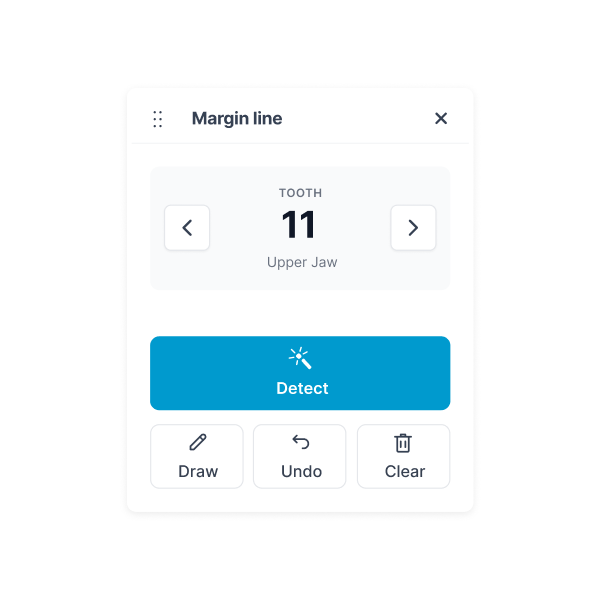
We pivoted to an AI-First / Context-Aware logic. AI is no longer a tool you find; it is the default starting point.
The Logic Shift
We added a Tooth Selection Header (e.g., "Tooth 11, Upper Jaw") to anchor the doctor's anatomical focus. The primary CTA is now "Detect". This triggers the AI auto-calculation instantly, leaving the doctor to "Review" rather than "Draw".
Impact
This shift reduces time spent on margin marking by over 60%, allowing the AI to handle the precision while the doctor provides final clinical oversight.
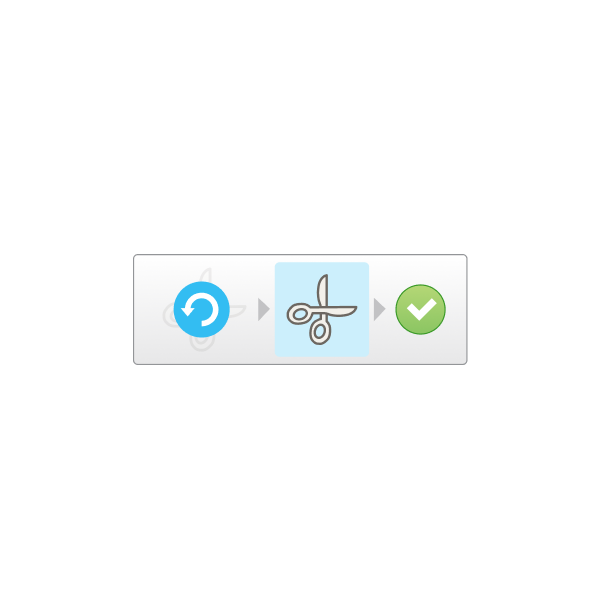
Tool Section : Trim Tool
The Trim tool enables you to trim away excess soft tissue such as cheek or lip artifacts from the scan. Thistool is available for Orthodontic procedures only
The Problem
Trimming must often be done with one hand while holding a scanner. The old UI used small icons that were nearly impossible to target reliably with surgical gloves.
The Reframing
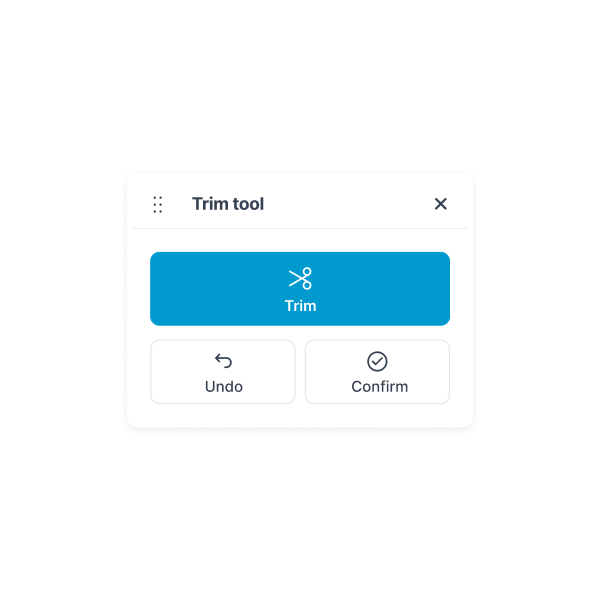
We moved to a Touch-Native Canvas logic. By utilizing a large, central "Trim" command, we eliminated the need for precision-tapping.
The Logic Shift
The UI now uses a "Stage-Confirm" loop. The doctor makes a rough gesture, and the UI provides massive "Confirm" and "Undo" targets.
Impact
This minimizes the physical effort required to clean the model, significantly reducing "open-mouth time" for the patient.
Strategic Design Logic: Efficiency & Safety
Contextual Persistence:
The tooth number stays visible throughout the margin process to prevent "wrong-site" errors.
Safe-Failure Modes
Destructive actions (Erase/Clear) are visually separated from primary flows to prevent accidental data loss.
Increased Daily Usage
Doctors who previously abandoned the app out of frustration started using it as their primary daily tool for patient management.
Standardized Interaction
Using a consistent card-based layout across all tools allows the dental team to develop muscle memory, increasing speed with every use.
Outcomes & Learnings
By reframing these three pillars, we proved that you don't always need to change the engine to make the car drive better:
Optimized Chairtime
Structured hierarchy means doctors spend less time navigating and more time with the patient.
Seamless Adoption
Labeled, intent-based actions ("Detect," "Select," "Trim") make the software self-explanatory.
AI Adoption
Making "Detect" the primary path ensures that practitioners actually use the full accuracy of the machine they purchased.